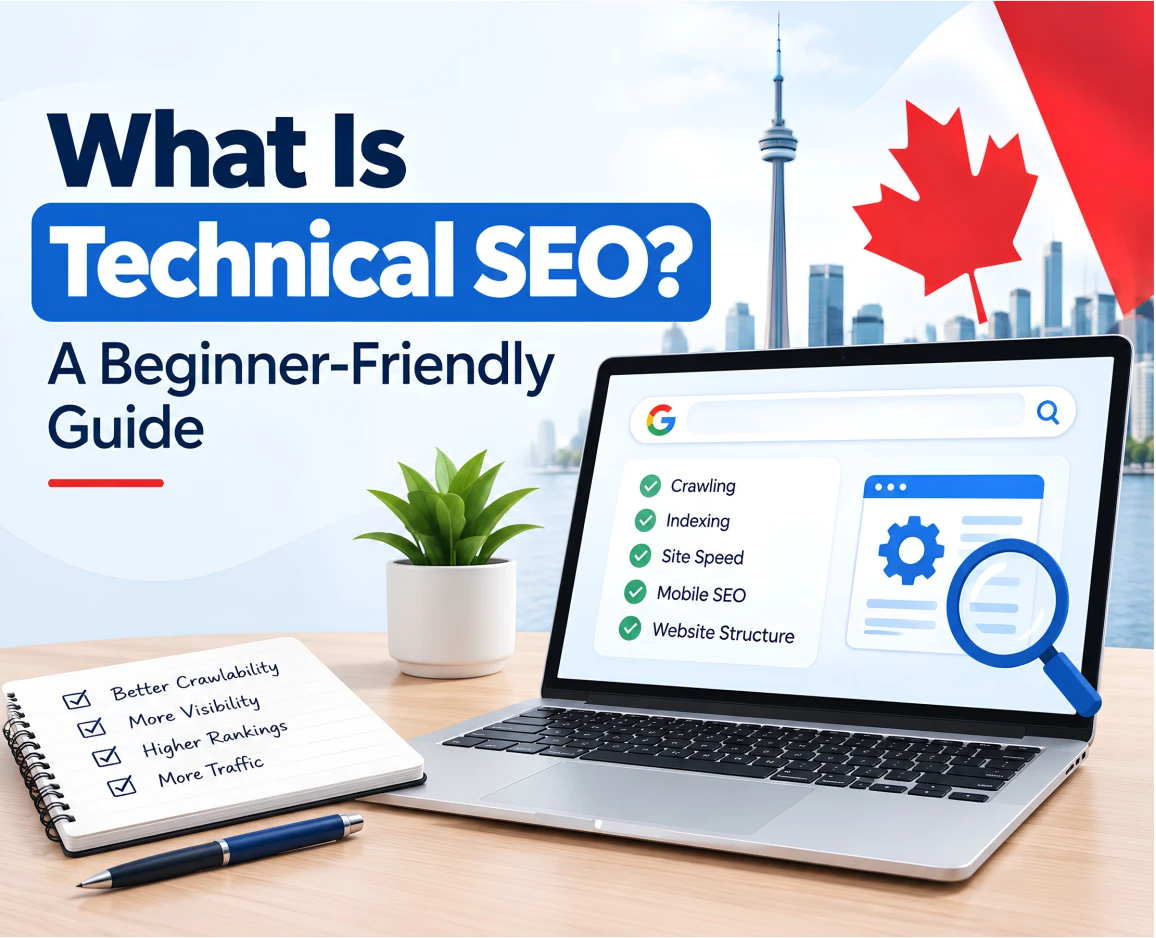
If you have ever wondered why your website is not ranking on Google even though you have good content, attractive pages, and the right keywords, the problem may be technical SEO.
Technical SEO is one of the most important parts of search engine optimization, but it is also one of the most misunderstood. The good news is that you do not need to be a web developer to understand the basics.
In simple terms, technical SEO is about making your website easy for search engines to access, crawl, understand, and index.
Think of your website like a physical business.
You may have great products, helpful staff, and an excellent storefront. But if the entrance is blocked, the signs are confusing, the lights do not work, and customers cannot find the right rooms, the business will struggle.
Your website works in a similar way.
Your content may be excellent, but search engines still need to be able to find your pages, access them, understand how your website is organised, and determine which pages should appear in search results.
This beginner-friendly guide explains what technical SEO is, why it matters, what it includes, common technical SEO problems, and how Canadian businesses can create a stronger technical foundation for Google Search.
Table of Contents
What Is Technical SEO?
Technical SEO is the process of improving the technical parts of a website so search engines can efficiently crawl, understand, and index its pages.
Unlike content SEO, which focuses heavily on what you say on your website, technical SEO focuses on how your website is built and how easily search engines can access its information.
Technical SEO can include:
- Website crawling
- Website indexing
- XML sitemaps
- Robots.txt
- Website architecture
- URL structure
- Canonical URLs
- Internal linking
- Mobile usability
- Website speed
- Core Web Vitals
- HTTPS security
- Redirects
- Broken links
- Structured data
- JavaScript and rendering
- Duplicate content
- Indexing controls
- Technical errors
The goal is not to make your website complicated.
The goal is actually the opposite: make your website easier for both search engines and people to use.
Google explains Search as a process that involves discovering pages, crawling them, processing and indexing their content, and then serving relevant results to users. Technical SEO supports the parts of that process that happen on and around your website.
Why Is Technical SEO Important?
Imagine you publish a detailed page about your services.
You have:
- Researched the right keywords
- Written helpful content
- Added professional images
- Optimised the page title
- Added internal links
- Written a strong meta description
But then you discover that Google cannot properly access or index the page. All that work becomes much harder to benefit from in search. That is why technical SEO matters.
A technically healthy website gives search engines a better opportunity to:
- Discover your pages
- Crawl your website
- Understand your content
- Identify the correct version of a page
- Index important pages
- Understand your website structure
- Process changes correctly
Technical SEO can also improve the experience for your visitors.
For example, fixing slow pages does not only help search performance. It can also make your website more pleasant to use, especially for people browsing on mobile devices.
However, technical SEO is not a magic button for higher rankings. A technically strong website still needs useful content, relevant keywords, good user experience, authority, and other SEO signals.
Think of technical SEO as the foundation.
A strong foundation does not guarantee a great building, but a weak foundation can create serious problems.
How Does Technical SEO Work?
Before getting into individual technical SEO elements, it helps to understand how Google discovers and processes websites.
A simple way to think about it is:
Discover → Crawl → Understand → Index → Rank
Let’s break that down.
1. Discover
Google needs to discover that your page exists.
It can discover pages through:
- Internal links
- External links
- XML sitemaps
- Previously known URLs
- Other discovery methods
For example, imagine you create a new page:
example.ca/seo-services
If nothing points to that page, Google may have a harder time discovering it.
This is one reason website structure and internal linking are important.
2. Crawl
Once Google discovers a URL, Googlebot may crawl the page.
Crawling essentially means Google accesses the page and retrieves information from it.
Your website therefore needs to allow search engine crawlers to access the pages you actually want indexed.
A poorly configured robots.txt file, server problem, blocked resource, or other technical issue can interfere with crawling.
Google’s current robots.txt documentation explains that robots.txt rules control which parts of a site crawlers are allowed to access.
3. Understand
Google then needs to understand what the page contains.
This includes things such as:
- Text
- Images
- Links
- Page structure
- Structured data
- Metadata
- Content relationships
- Technical signals
This is particularly important for modern websites that rely heavily on JavaScript.
If important content or links are difficult for search engines to access or render, your website may not communicate its information as effectively as it could.
4. Index
After processing a page, Google may decide to include it in its search index.
Being indexed means Google has stored information about the page and can potentially show it in search results.
But remember:
Crawling does not automatically mean indexing.
Google can crawl a page and still decide not to index it.
There can be many reasons for this, including technical problems, duplicate pages, quality considerations, or indexing directives.
5. Rank
Finally, when someone searches Google, Google determines which relevant results to show and in what order.
Technical SEO helps make sure your website has a solid technical foundation.
But ranking also depends on many other factors, including relevance, content quality, links, search intent, competition, and other signals.
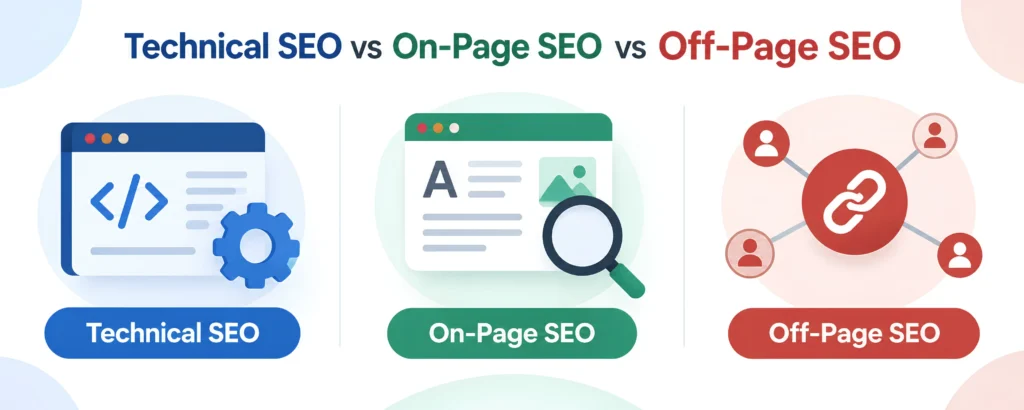
Technical SEO vs On-Page SEO vs Off-Page SEO
If you are new to SEO, these three terms can sound confusing.
Here is a simple way to understand them.
| SEO Type | Main Focus | Example |
| Technical SEO | Website infrastructure | Crawlability, indexing, speed |
| On-Page SEO | Content and page optimisation | Keywords, headings, title tags |
| Off-Page SEO | Signals outside your website | Backlinks, mentions, authority |
Technical SEO
Makes the website technically accessible and understandable.
On-Page SEO
Makes individual pages relevant and useful for specific searches.
Off-Page SEO
Helps build authority and credibility through external signals.
A successful SEO strategy normally needs all three.
12 Important Elements of Technical SEO
Now let’s look at the major technical SEO factors beginners should understand.
1. Website Crawlability
Crawlability means how easily search engine crawlers can access the important pages and resources on your website.
If Google cannot crawl an important page, it may have difficulty discovering and processing that page.
Common crawlability problems include:
- Incorrect robots.txt rules
- Server errors
- Broken links
- Poor website structure
- Redirect problems
- Important pages with no internal links
- Technical access restrictions
For a small Canadian business website, crawlability may not sound complicated, but it should still be checked regularly.
2. Website Indexing
Crawling and indexing are not the same thing.
Crawling = Google accesses the page.
Indexing = Google decides to store and potentially use the page in Search.
For example, you may have 50 pages on your website, but that does not automatically mean all 50 will appear in Google’s index.
You can use Google Search Console to investigate indexing issues and inspect individual URLs.
If an important service page is not indexed, you should investigate why before spending more time creating additional content.
3. XML Sitemaps
An XML sitemap is a file that helps search engines discover important URLs on your website.
A typical sitemap may include pages such as:
- Homepage
- Service pages
- Product pages
- Important blog posts
- Category pages
For example:
https://example.ca/sitemap.xml
A sitemap does not guarantee that Google will index every URL inside it.
Think of it as a map of important pages, not a guarantee that every destination will be visited.
Google recommends sitemaps as one way to help it discover URLs, particularly for larger or more complex websites.
What should you check?
Make sure your sitemap:
- Exists
- Can be accessed
- Contains the correct URLs
- Does not contain unnecessary URLs
- Is updated when your website changes
- Is submitted through Google Search Console when appropriate
4. Robots.txt
A robots.txt file tells crawlers which areas of your website they are allowed or not allowed to access.
It is usually available at:
yourwebsite.ca/robots.txt
For example, a website might use robots.txt to prevent crawlers from accessing certain administrative areas. But beginners need to be careful.
One incorrect rule can unintentionally block important website resources or sections.
Google’s documentation also notes that robots.txt controls crawling, not necessarily whether a URL can ever appear in Search. A URL that is blocked from crawling can sometimes still be indexed without its content being crawled.
So robots.txt should not be treated as a simple “hide this page from Google” tool.
5. Website Structure and Architecture
A well-organised website is easier for people and search engines to navigate.
Imagine a Canadian landscaping company with these pages:
Home
→ Landscaping Services
→ Lawn Care
→ Garden Design
→ Commercial Landscaping
→ Service Areas
→ Toronto
→ Mississauga
→ Brampton
This structure gives visitors and search engines a clearer understanding of how the website is organised.
A good website structure should make important pages easy to reach.
Good website architecture usually includes:
- Logical categories
- Clear navigation
- Descriptive URLs
- Relevant internal links
- A sensible page hierarchy
- Important pages that are not buried deep within the website
For most small businesses, simplicity is better than creating a complicated structure.
6. URL Structure
Your URLs should be clear and descriptive.
For example:
Better:
example.ca/web-design-services
Less helpful:
example.ca/page?id=8472
A clean URL can help users understand where they are on your website.
Avoid changing URLs unnecessarily, especially on pages that already have traffic, backlinks, or search visibility.
If you do need to change URLs, proper redirects and URL mapping become important.
Google recommends planning URL changes carefully and using appropriate redirects when moving pages or websites.
7. Canonical URLs
This sounds technical, but the basic idea is simple.
Sometimes the same or very similar content can be accessible through multiple URLs.
For example:
example.ca/product
and
example.ca/product?colour=blue
A canonical URL helps indicate which version should be treated as the preferred version.
Google can choose its own canonical URL based on various signals, so a canonical tag is a hint rather than an absolute command.
Canonicalisation becomes particularly important for:
- Ecommerce websites
- Filtered product pages
- Duplicate URLs
- HTTP/HTTPS variations
- Website migrations
- Regional versions
- Similar pages
8. Mobile SEO
Today, your website needs to work properly on mobile devices. Think about how customers search for a business in Canada.
Someone might search for:
“emergency plumber near me”
while sitting in their car.
Another person might search:
“best dentist in Toronto”
from their phone.
If your website is difficult to use on a small screen, users may leave before contacting you.
Check that:
- Text is easy to read
- Buttons are easy to tap
- Navigation works properly
- Images fit the screen
- Forms work on mobile
- Important content appears on mobile
- Pages load efficiently
Google’s search systems use mobile crawling extensively, so businesses should make sure their mobile version provides the important content and links users need.
9. Website Speed and Core Web Vitals
Nobody likes a website that takes forever to load. Website performance is therefore an important part of technical SEO and user experience.
Google’s Core Web Vitals focus on three key areas:
LCP — Largest Contentful Paint
Measures loading performance.
In simple terms:
How quickly does the main content appear?
INP — Interaction to Next Paint
Measures how responsive a page is when users interact with it.
In simple terms:
How quickly does the page respond when someone clicks or taps?
CLS — Cumulative Layout Shift
Measures visual stability.
In simple terms:
Does the page unexpectedly move around while it loads?
For example, imagine you are about to click “Book an Appointment,” but an image loads above the button and pushes it down.
That is frustrating.
Ways to improve website performance include:
- Compressing images
- Using modern image formats
- Reducing unnecessary scripts
- Improving hosting
- Using caching
- Removing unnecessary plugins
- Optimising CSS and JavaScript
- Reducing third-party scripts
You can use tools such as Google PageSpeed Insights and Google Search Console to investigate performance.
10. HTTPS and Website Security
Have you ever noticed the padlock icon in your browser?
That generally indicates that a website is using HTTPS. HTTPS encrypts communication between the user’s browser and the website. For a business website, HTTPS is essential.
This is especially important if your website collects:
- Contact information
- Login details
- Payment information
- Booking information
- Customer data
A professional website should not be relying on an insecure HTTP connection.
11. Structured Data and Schema Markup
This is another technical SEO term that sounds more complicated than it really is.
Structured data is a standardised way of providing information about a page and its content to search engines.
For example, structured data can help identify information about:
- Products
- Organisations
- Businesses
- Articles
- Events
- Breadcrumbs
- Courses
- Reviews, where eligible
Structured data does not guarantee that Google will display a rich result, but correct implementation can make eligible pages easier for search systems to interpret and can make them eligible for certain search features.
For a Canadian business, structured data can be useful when implemented accurately and in line with Google’s guidelines.
The key word is accurately. Do not add schema simply because you think it might improve rankings. The markup should accurately represent the visible content on the page.
12. Internal Links
Internal links connect one page on your website to another page on the same website.
For example, a blog about SEO for small businesses could link to your:
- SEO services page
- Local SEO guide
- Technical SEO guide
- Contact page
Internal links help users discover related information. They also help search engines understand the relationships between pages.
A strong internal linking strategy can help create a clear website structure.
Example
Your main SEO service page could link to:
SEO Services
→ Local SEO
→ Technical SEO
→ Keyword Research
→ Content SEO
→ SEO Audit
Then your blog articles can naturally link back to the relevant service or educational pages.
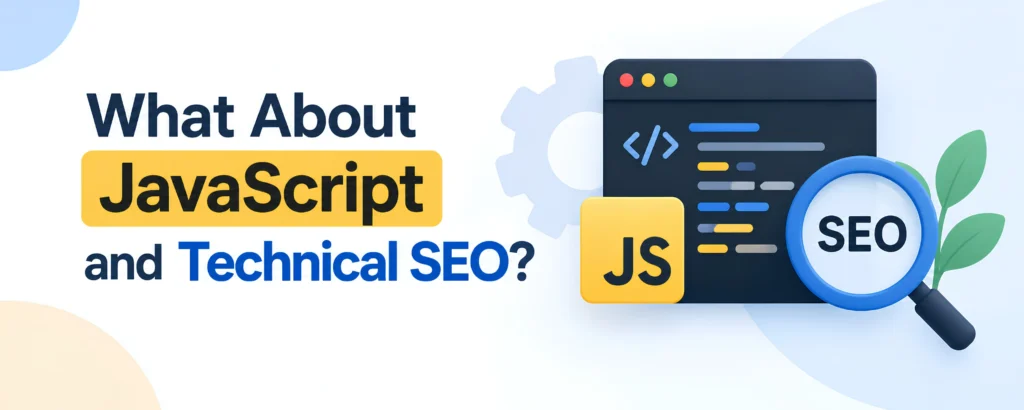
What About JavaScript and Technical SEO?
Modern websites often use JavaScript to create interactive experiences.
JavaScript can be useful for:
- Menus
- Filters
- Forms
- Product features
- Animations
- Interactive applications
But JavaScript can also create SEO problems if important content or links are not properly accessible to search engines.
This is especially relevant for websites built with modern frameworks and single-page applications.
For example, if the main content of a page only appears after a complicated user interaction, search engines may not experience the page in exactly the same way a user does.
For most small businesses using WordPress, Shopify, or another standard CMS, you do not need to become a JavaScript developer.
But if your website relies heavily on JavaScript, technical SEO testing becomes more important.
Common Technical SEO Problems
Here are some of the issues that can affect websites:
1. Important pages are not indexed
Your service or product pages may not be appearing in Google’s index.
2. Robots.txt blocks important resources
A configuration may unintentionally prevent crawlers from accessing something they need.
3. Broken links
Links may lead visitors to pages that no longer exist.
4. Too many redirects
A long chain of redirects can create unnecessary technical complexity.
5. Slow pages
Large images, excessive scripts, poor hosting, or unnecessary plugins can slow your website.
6. Duplicate content
Similar or duplicate URLs can make it harder for search engines to understand which version is preferred.
7. Poor mobile experience
A website may look good on desktop but be difficult to use on a phone.
8. Missing or incorrect canonical tags
Technical signals may point search engines toward the wrong URL.
9. Poor website architecture
Important pages may be difficult to find through navigation or internal links.
10. Incorrect website migration
Changing domains, URLs, or platforms without proper redirects can cause indexing and traffic problems.
Google specifically recommends planning URL changes, updating internal links, checking canonical and robots directives, submitting the new sitemap, and monitoring Search Console during site migrations.
Technical SEO Checklist for Beginners
If you are a business owner and want a simple starting point, use this checklist.
Technical SEO Checklist
- Website uses HTTPS
- Website works properly on mobile
- Important pages can be crawled
- Important pages are indexed
- XML sitemap exists
- Sitemap contains the correct URLs
- Robots.txt is configured correctly
- Important pages are internally linked
- URLs are clear and descriptive
- Broken links are fixed
- Redirects work correctly
- Duplicate URLs are managed
- Canonical tags are checked
- Website loads efficiently
- Core Web Vitals are monitored
- Structured data is implemented where appropriate
- JavaScript does not hide important content
- Search Console is connected
- Website errors are monitored regularly
- Website changes and migrations are planned carefully
You do not necessarily need to fix every item on the same day.
The important thing is to identify the issues that could have the biggest impact first.
How to Check Your Technical SEO
You do not have to rely on guesswork. Several tools can help you understand the technical health of your website.
Google Search Console
Google Search Console should be one of the first tools a website owner learns.
It can help you monitor:
- Search performance
- Indexing
- Sitemap submissions
- URL inspection
- Search visibility
- Some technical issues
- Search enhancements
It is particularly useful because it gives you information about how Google is seeing your website.
Google PageSpeed Insights
PageSpeed Insights can help you understand page performance and Core Web Vitals.
You can enter a page URL and receive performance information along with potential recommendations.
Google Rich Results Test
If you use structured data, Google’s Rich Results Test can help you check whether your markup is eligible for supported rich search features.
Website Crawlers
Professional SEO tools can crawl your website in a way that is similar to how search engines discover pages.
Depending on the tool, you can identify:
- Broken links
- Redirect chains
- Missing titles
- Duplicate pages
- Canonical issues
- Orphan pages
- Indexation problems
- Internal linking issues
For larger websites, a proper technical SEO audit can save considerable time.
How Often Should You Do a Technical SEO Audit?
Technical SEO should not be treated as a one-time task. Your website changes over time.
You might:
- Add new pages
- Delete old pages
- Install plugins
- Change your theme
- Change your CMS
- Add ecommerce functionality
- Change URLs
- Redesign the website
- Move to a new hosting provider
- Add JavaScript functionality
- Publish hundreds of new pages
Any of these changes can introduce technical problems.
For a small business website, a basic technical review every few months can be useful, with additional checks after major website changes.
Larger websites and ecommerce stores may need more frequent monitoring.
Technical SEO for Canadian Businesses
Technical SEO is particularly useful for Canadian businesses that want to compete in local and national search.
For example, a company may want to rank for:
- SEO services Toronto
- Web development Vancouver
- Plumber Calgary
- Dental clinic Mississauga
- Landscaping services Ottawa
- Accounting services Montreal
- Marketing agency Edmonton
But simply adding a city name to a page is not enough. The website still needs a solid technical foundation.
Canadian businesses should pay particular attention to:
Mobile performance
Many local searches happen on mobile devices.
Local website structure
Important service and location pages should be easy to find.
Canadian search intent
Your content should match the services and locations you actually serve.
Regional and language considerations
Businesses serving Quebec or other multilingual markets may need to think carefully about English and French versions of their content and the technical signals connecting those versions.
Ecommerce websites
Canadian ecommerce businesses should pay close attention to product URLs, filters, duplicate pages, structured data, site speed, and indexing.
Website migrations
If your business is redesigning its website or moving from one platform to another, technical SEO should be part of the project from the beginning—not something added after launch.

Do Small Businesses Really Need Technical SEO?
Yes, but the level of technical SEO you need depends on your website.
A five-page local service website does not have the same technical requirements as a large Canadian ecommerce website with 20,000 product URLs.
For a small business, the priorities are usually straightforward:
- Make sure Google can access the website.
- Make sure important pages can be indexed.
- Keep the website mobile-friendly.
- Improve page performance.
- Fix broken links and redirects.
- Maintain a clean website structure.
- Use HTTPS.
- Keep your sitemap and indexing controls healthy.
- Monitor the website through Search Console.
- Fix major issues when they appear.
You do not need to make your website technically complicated to have good technical SEO.
How to Improve Technical SEO Step by Step
If you are starting from scratch, do not try to fix everything at once.
Follow this order.
Step 1: Set Up Google Search Console
First, make sure you can see how Google interacts with your website.
Step 2: Check Indexing
Look for important pages that are not indexed.
Step 3: Check Your Sitemap
Make sure the sitemap contains the URLs you actually want Google to discover.
Step 4: Review Robots.txt
Make sure important areas of the website are not accidentally blocked.
Step 5: Check Mobile Performance
Open your website on different mobile devices and test important pages.
Step 6: Check Website Speed
Use PageSpeed Insights and investigate major performance problems.
Step 7: Review Website Structure
Make sure your most important pages are easy to reach.
Step 8: Fix Broken Links and Redirects
Remove unnecessary errors and make sure old URLs redirect to relevant new pages when appropriate.
Step 9: Review Canonical URLs
Check that duplicate or similar pages have sensible canonical signals.
Step 10: Monitor Regularly
Technical SEO is not finished after one audit. Keep checking your website as it grows.
What Technical SEO Can and Cannot Do
It is important to have realistic expectations.
Technical SEO can help you:
- Make pages easier to discover
- Improve crawlability
- Support proper indexing
- Improve website usability
- Improve mobile experience
- Improve site performance
- Clarify website structure
- Reduce technical errors
- Help search engines understand your website
Technical SEO cannot:
- Guarantee first-page rankings
- Replace high-quality content
- Replace keyword research
- Replace local SEO
- Automatically generate backlinks
- Make an irrelevant page rank for a competitive keyword
Think of technical SEO as making sure your website is ready to compete.
Your content, authority, relevance, and overall SEO strategy still matter.
Is Technical SEO Difficult?
The basics are not as difficult as they sound.
You do not need to understand programming to learn concepts such as:
- Crawling
- Indexing
- Sitemaps
- Robots.txt
- Canonical URLs
- Mobile SEO
- Website speed
- Internal linking
However, some technical SEO work can become advanced.
Large websites may involve:
- JavaScript rendering
- Server configuration
- International SEO
- Ecommerce faceted navigation
- Large-scale indexing
- Crawl budget
- Complex redirects
- Website migrations
- CDN configuration
- Log-file analysis
This is where developers and experienced technical SEO professionals can become particularly valuable.
Frequently Asked Questions
What is technical SEO in simple words?
Technical SEO means improving the technical foundation of your website so search engines can access, crawl, understand, and index your pages more effectively.
Is technical SEO important for small businesses?
Yes. Even a small business website can have problems with indexing, mobile usability, website speed, broken links, redirects, or site structure. Fixing these issues gives your website a stronger foundation for SEO.
Does technical SEO improve Google rankings?
Technical SEO can support your ability to appear and perform in Google Search by making your website easier to crawl, process, and use. However, technical SEO alone does not guarantee higher rankings.
What is a technical SEO audit?
A technical SEO audit is a detailed review of a website’s technical health. It can identify issues involving crawling, indexing, redirects, URLs, site structure, mobile usability, speed, structured data, and other technical elements.
Do I need technical SEO if my website is already ranking?
Yes. A website that ranks today can develop technical problems tomorrow after updates, redesigns, migrations, plugin changes, or other modifications.
How often should technical SEO be checked?
There is no single schedule for every website. Small websites can benefit from periodic checks, while larger or frequently changing websites may need ongoing monitoring. Always perform a technical review after major website changes.
Can technical SEO fix a website that is not ranking?
It can identify and fix technical barriers that may be preventing pages from being crawled or indexed. But if technical SEO is healthy, other areas such as content quality, search intent, keyword targeting, backlinks, competition, and local SEO may need attention.
What is the most important part of technical SEO?
For most websites, start with the basics: crawlability, indexability, website structure, mobile usability, performance, HTTPS, internal links, and correct technical signals.
Final Technical SEO Checklist
Before you finish, ask yourself:
- Can Google find my important pages?
- Can Google crawl them?
- Can Google understand them?
- Can Google index them?
- Can users easily navigate the website?
- Does the website work well on mobile?
- Does it load efficiently?
- Are important pages linked internally?
- Are redirects and canonical URLs working correctly?
- Is my sitemap accurate?
- Is robots.txt configured correctly?
- Am I monitoring the website in Google Search Console?
If the answer to these questions is yes, you have a much stronger technical foundation for your SEO strategy.
Final Thoughts
Technical SEO may sound like something only developers need to worry about, but every website owner should understand the basics.
You do not need to know how to write complicated code.
You simply need to understand that search engines need to be able to find, access, understand, and index your website.
Once those fundamentals are in place, your content, keyword strategy, local SEO, and link-building efforts have a stronger technical foundation to work from.
For Canadian businesses, this matters whether you run a local service company in Toronto, an ecommerce store in Vancouver, a professional service business in Calgary, or a growing company serving customers across Canada.
- SEO services in Canada
- Website development services in Canada
- Digital marketing company in Canada
- Custom shopify development services in Canada
Good SEO starts with a website that works properly. And technical SEO helps make that possible.
If you are unsure whether technical issues are holding your website back, a professional technical SEO audit can identify the problems and help you prioritise the fixes that matter most.
MapleTech Media helps Canadian businesses build stronger websites and SEO strategies designed to improve search visibility, attract qualified visitors, and generate more leads.
10 SEO Mistakes That Stop Canadian Businesses from Ranking
How Much Does Website Development Cost in Canada?
How Local SEO Helps Canadian Businesses Get More Customers
WordPress vs Shopify: Which Platform Is Best for Canadian Businesses?
Digital Marketing Trends Every Canadian Business Should Watch in 2026